
Save any job posting in one click.
Select the job description on any site, click the Vershinia icon, and it's in your job vault: kept for good, analyzed and matched with your experience.
Available for Chrome · Edge · Brave Firefox and Safari: coming later
Works with a Vershinia account. Sign in
Watch: the extension in 90 seconds
Narration: synthetic voice.
How it works
From a job posting to a tailored resume in a few clicks.
Select the job description
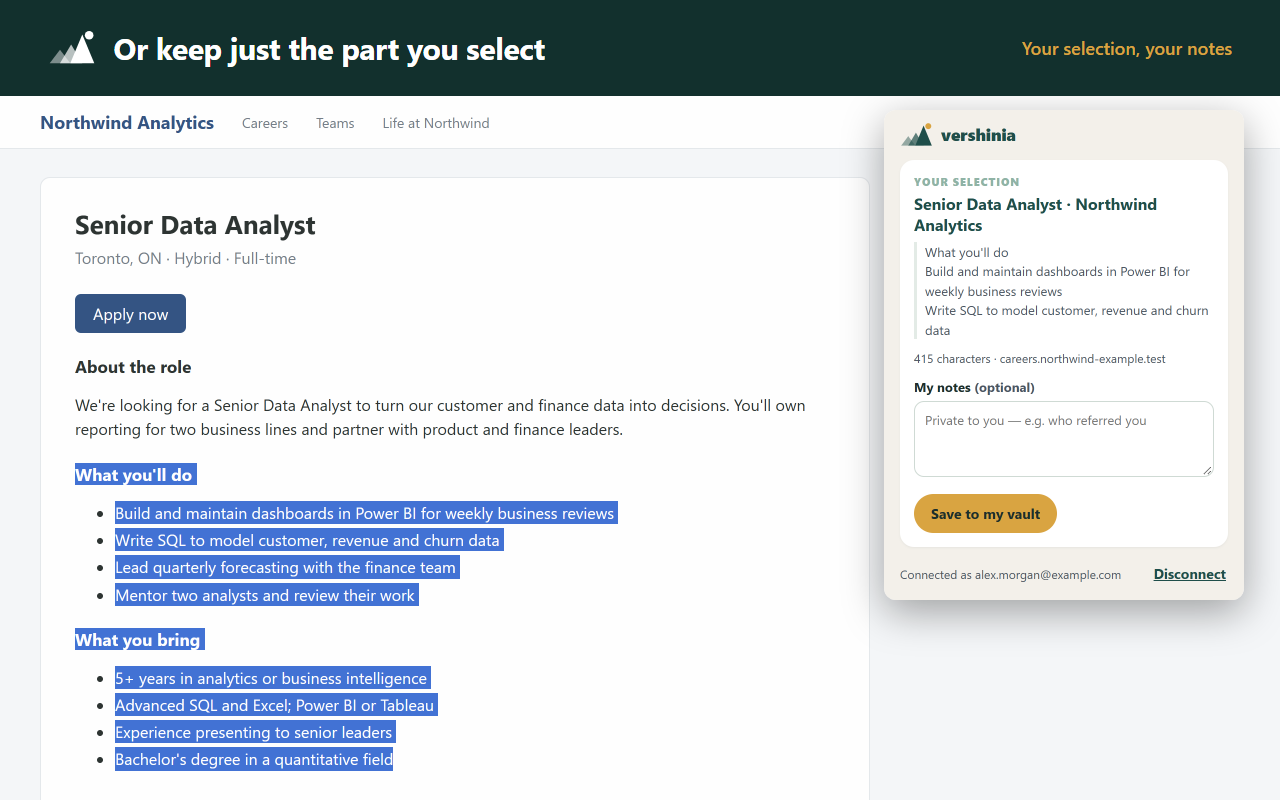
On a job board or a company's career page, select the posting — from the job title down to the last line. You decide exactly what's saved.
Click the icon, check, save
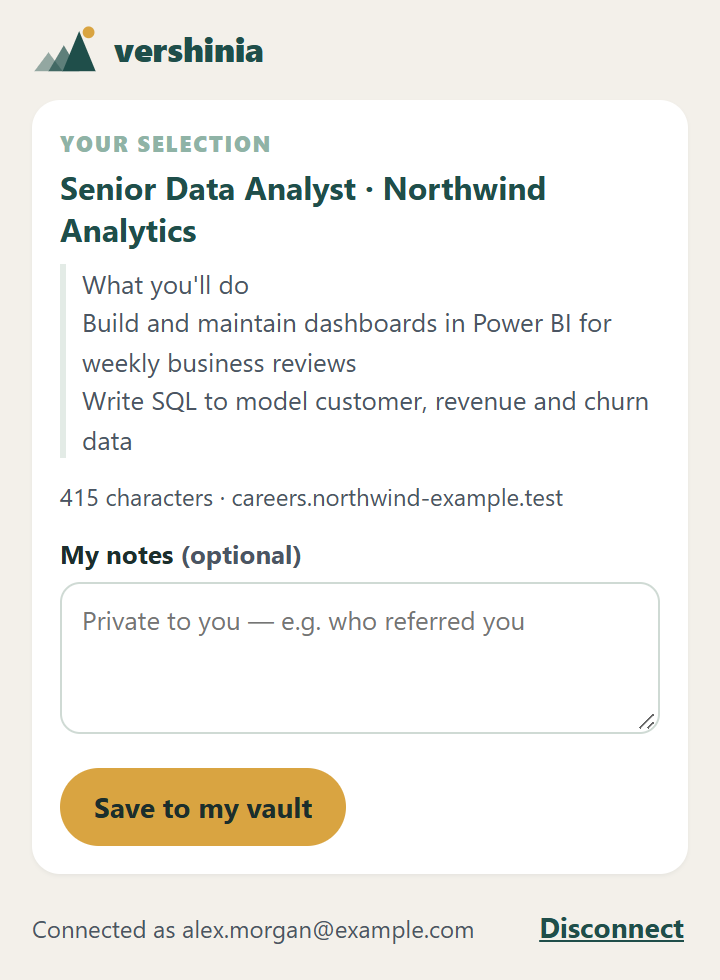
Click the Vershinia icon. The popup shows what you selected; add your own notes if you like, then save it to your vault.
It's in your vault
Vershinia keeps a permanent copy, analyzes the requirements, shows how well you match, and can tailor a resume for it from what you've actually done.
Works where copy-and-paste doesn't
Pages that resist selecting
Choose "pick a block" in the popup, hover the job and click it. ↑ and ↓ make the block wider or narrower.
Pages that block selecting
"Let me select" turns selecting back on until the page reloads. Copy-blocking never matters: the extension reads the page, not your clipboard.
Listings that disappear
Postings are often taken down after a few weeks. Your copy stays in your vault — with your notes — for when the interview comes.
Install it in 30 seconds
- Add to Chrome from the Chrome Web Store and confirm.
- Pin it: click the puzzle-piece icon next to the address bar, then the pin next to Vershinia — so its icon is always one click away.
- Connect it once: select a job posting and click the icon. Vershinia opens, you sign in and click Connect this browser. The job saves itself right after.
Edge and Brave install it from the same Chrome Web Store page (Edge asks once to allow extensions from other stores). Firefox and Safari versions are coming later.
Private by design
- It reads a page only when you click it, and only the tab you're on. No background tracking, no browsing history.
- What you save is private to your workspace and never used for training.
- It sends nothing but the job you choose to save. Disconnect it any time — from the popup or your Dashboard.
Details: Privacy Policy, section 12.
Questions
Does it work on every job site?
Selecting works on any web page you can open in Chrome. Chrome doesn't let any extension read its own pages, the Chrome Web Store or PDFs — there, copy the posting and add it in Vershinia.
What if I forget to select?
Vershinia tries to find the job description on the page by itself. The popup always shows what it will save — if it's not the right part, select the text and click the icon again.
Which browsers does it work in?
Chrome, and browsers that install from the Chrome Web Store, like Edge and Brave. Versions for Firefox and Safari are coming later. Everything you save is in your vault in any browser.
Do I need an account?
Yes — the extension saves into your Vershinia job vault. The first time you click it, Vershinia asks you to sign in and connect the browser.
What happens to a job I save twice?
Vershinia notices and asks before saving a duplicate, so your vault stays tidy.
Can I use it on more than one computer?
Yes. Connect each browser once; you can see and disconnect them on your Dashboard.